SpeedLens : Fine-Grained Video Speed Control
Javascript
Chrome Extension
Manifest V3
HTML
CSS
SpeedLens is a Chrome extension that replaces fixed video speed presets with a precise 0.1× slider, giving you fine-grained control from 0.1× to 2.0× on any site with HTML5 video.
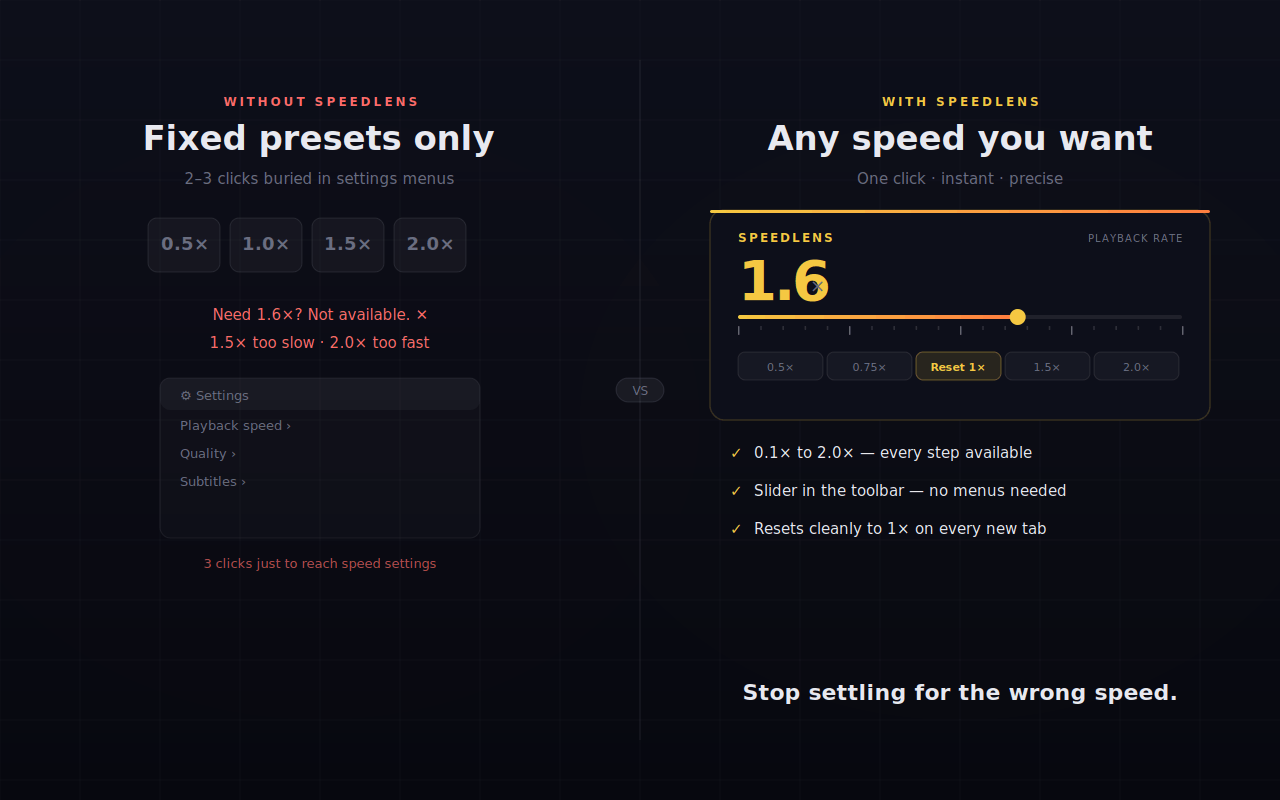
Most video players give you a handful of fixed speed presets — 0.5×, 1.0×, 1.5×, 2.0×. When 1.5× is too slow and 2.0× is too fast, you're stuck. SpeedLens removes that limitation entirely.
The Problem
Fixed presets were fine when video was occasional. But for long-form technical content — conference talks, tutorials, courses — the difference between 1.6× and 1.8× is real time saved every day. SpeedLens gives you a slider so you land exactly where you need to be.
Features
- Precise slider — 0.1× increments across the full 0.1×–2.0× range
- Quick-pick buttons — One-click access to common speeds (0.5×, 0.75×, 1.0×, 1.5×, 2.0×)
- Instant response — Speed changes apply to the video immediately, no lag
- Universal — Works on any site using HTML5 video: YouTube, Netflix, Coursera, and more
- Zero persistence — Resets to 1.0× on each new tab, so sessions stay clean
- Minimal permissions — Only
activeTabandscripting; no tracking, no telemetry, no data collection
How to Use
- Install from the Chrome Web Store
- Open any video on YouTube, Netflix, or any HTML5 video site
- Click the 🎬 SpeedLens icon in your toolbar
- Drag the slider or tap a quick-pick to set your exact speed